
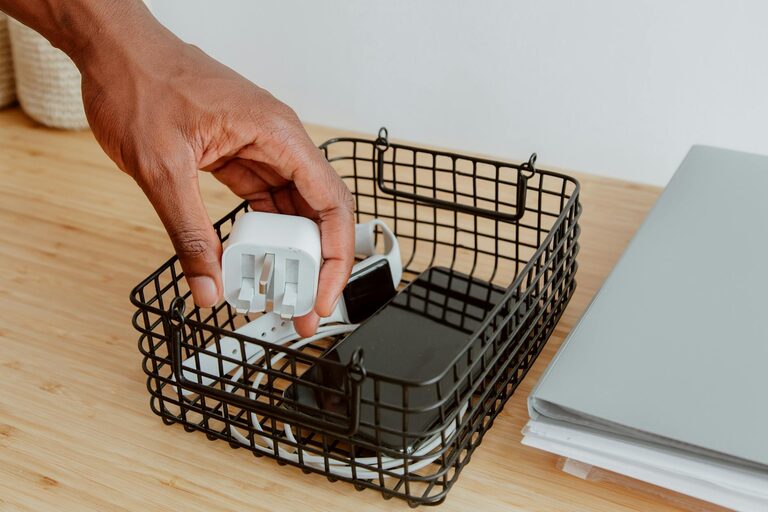
Keeping cables and chargers organized can transform your workspace or living area from cluttered chaos to neat and functional. With so many devices relying on power, it’s easy for cords to become tangled or misplaced. Fortunately, with a few smart habits and tools, you can keep your cables tidy and easy to access. This guide outlines practical steps and ideas for organizing your cables and chargers neatly.
Why Organizing Cables Matters
Before jumping into solutions, it helps to understand why cable organization is important:
– Safety: Tangled or loose cables can cause tripping hazards or even damage devices.
– Efficiency: Organized cables save time when searching for the right charger or cable.
– Aesthetics: A clean, clutter-free space looks more inviting and professional.
– Longevity: Proper cable care prevents wear and extends the lifespan of cords.
Now that you know the benefits, let’s explore how to get your cables in order.
Step 1: Gather and Sort Your Cables
Start by collecting all your cables and chargers in one place. This could be a drawer, box, or table. Once gathered:
– Sort by type: Group similar cables together such as USB cables, power cords, HDMI cables, etc.
– Sort by device: Alternatively, organize by what the cable or charger belongs to (phone, laptop, gaming console).
– Discard what you don’t need: If a cable is broken, incompatible, or obsolete, recycle or dispose of it responsibly.
Sorting helps you see what you have and decide the best storage method for each category.
Step 2: Label Your Cables and Chargers
Labeling is a game-changer for cable organization. When multiple similar cables look alike, it’s easy to grab the wrong one.
– Use a label maker or masking tape plus a marker to write device names or cable type.
– Consider color-coded labels for quick visual identification.
– Place labels near both ends of the cable for convenience.
Labels save frustration and speed up finding the right cable when you need it.
Step 3: Coil and Secure Your Cables
Loose cables are prone to tangling and damage. Proper coiling and securing keeps cables neat and safe.
– Coil cables loosely, avoiding tight loops that strain wires.
– Use reusable Velcro straps, twist ties, or cable ties to keep coils intact.
– Avoid knotting cables, which can cause internal wire breakage.
For longer cables, consider winding them around a spool or dedicated holder.
Step 4: Choose the Right Storage Solutions
Depending on how many cables you have and your available space, different storage options can work well:
Drawer Organizers
– Use small containers, boxes, or dividers inside a drawer to separate cables.
– Dedicated cable organizers with compartments are available online.
– Label each compartment for easy retrieval.
Cable Organizers & Pouches
– Portable cable organizers work well for travel or on-the-go storage.
– Pouches with elastic loops or mesh pockets keep cables visible and untangled.
Hooks and Clips
– Adhesive cable clips can attach to desks or walls to secure cables in place.
– Use hooks to hang coiled cables neatly.
Charging Stations and Boxes
– Charging stations consolidate chargers and sockets in one spot.
– Cable management boxes hide power strips and excess cable length for a sleek look.
DIY Solutions
– Repurpose household items like toilet paper rolls, binder clips, or old boxes.
– DIY cable holders from cardboard and tape can separate individual cables.
Step 5: Maintain Your Cable Organization Regularly
Cables can quickly become disorganized again if not maintained:
– Make it a habit to coil and store cables properly after each use.
– Periodically review your cables, removing any unused or damaged ones.
– Update labels as you acquire new devices or cables.
Regular maintenance ensures your efforts remain effective long-term.
Additional Tips for Cable Management
– Use short cables when possible: Long cables often create more tangles and clutter.
– Mount power strips: Fix them under or behind desks for easier access and cleaner floors.
– Bundle cables by function: For example, group computer cables separately from entertainment system cables.
– Consider wireless options: Where possible, wireless chargers and Bluetooth peripherals reduce cable clutter.
– Avoid overloading outlets: Spread devices across multiple power sources to manage cable placement better.
Conclusion
Organizing cables and chargers neatly is achievable with a little planning and the right tools. By gathering, sorting, labeling, securing, and storing your cables thoughtfully, you can enjoy a safer, more efficient, and visually pleasing space. Whether you tackle a small drawer or your entire home office setup, these tips will help you stay on top of cable clutter for good.
Take a few minutes each week to maintain your organized system, and soon managing your tech cables will become second nature. Say goodbye to tangled cords and hello to a neat, stress-free environment!